Getting ready to launch
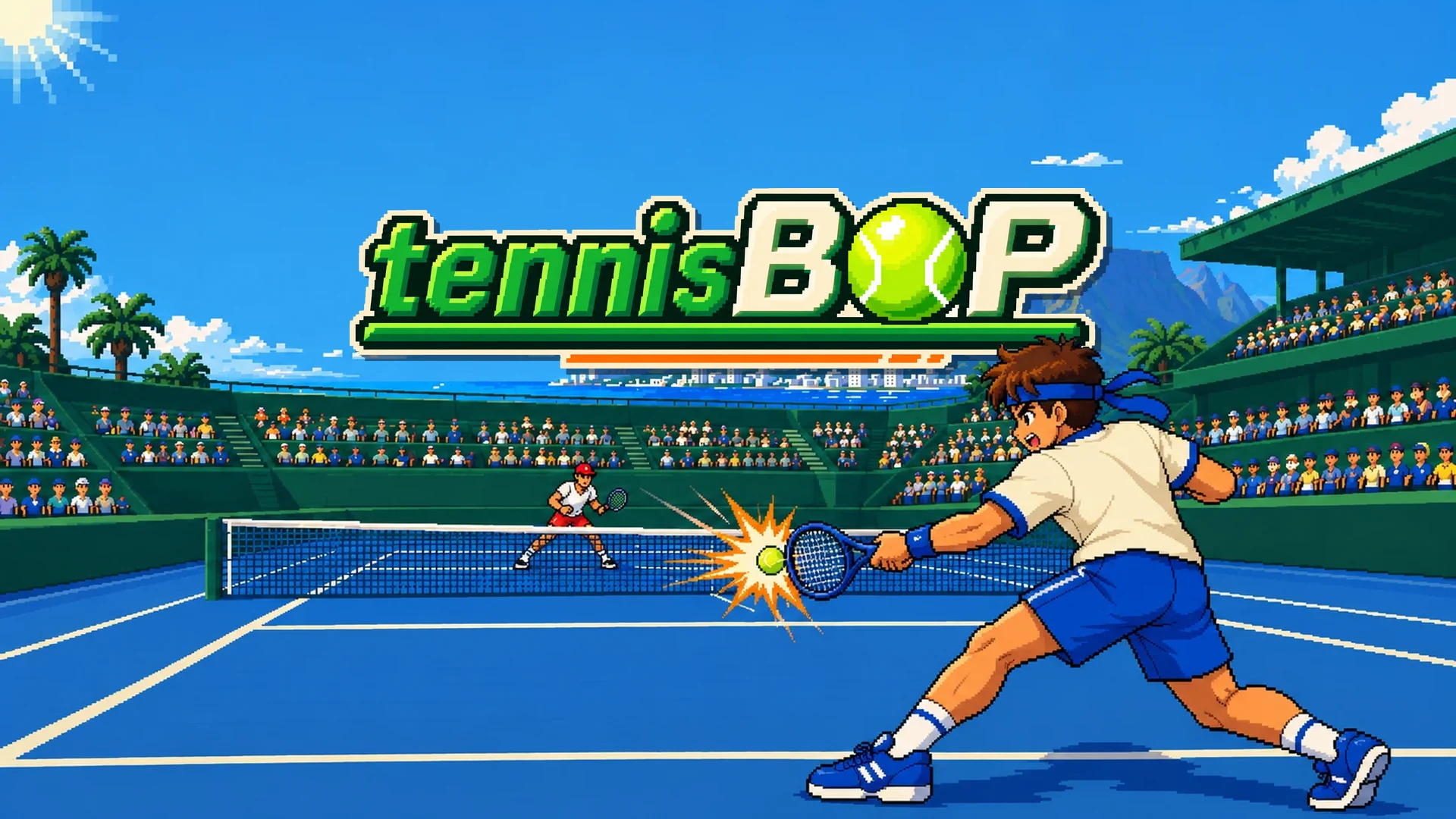
tennisBOP is packed and waiting for its first players. This post is about the unglamorous week before a launch: shrinking the game, making its covers and trailers, and testing it in places we can't see.
Seven files
The whole game is now seven files and 1.2 MB, sounds included: one page, one script, the umpire and four crowd recordings. A packaging script builds it, then refuses to finish if anything is wrong. It checks the size and the number of files, that nothing links to an outside address, and that no stray debugging files slipped in.
Game sites show your game inside a frame on their own page, so the game had to learn some manners. Space and the arrow keys no longer scroll the page around it, and Esc belongs to the browser, so you can always leave fullscreen. That's why the pause key is now P and Q backs out.
Covers and trailers
The covers use the new key art: our player mid-forehand on the blue Centre Court, the champion waiting at the net and Table Mountain behind. The logo sits in the middle with a hard shadow, and the top-left corner stays empty, because stores put their own labels there. Where the logo overlaps the player, he's cut out and drawn back in front of it, so on the square cover his hair crosses the O.
The trailers aren't screen recordings. A script plays the game one frame at a time, at exactly 60 frames a second, and saves the game's own pixels, so nothing stutters and every frame is sharp. The logo pops in over the live court, then it's straight into play: a rally against the boss with a BOP!, a doubles point on Grand Lawn, the aim drill and a BOP! for a winner. The tall version for phones isn't the wide one with bars. It's a crop of the whole court from the taller picture the camera scrolls over.
Testing what we can't see
An automatic check runs the finished game inside a frame at ten common screen sizes, from 800 wide to 1920, and walks through a first visit, a match, the pause screen, the controls guide and two players. All ten pass. Another check plays the same match at 30, 60, 144 and 165 frames a second and makes sure the ball lands in exactly the same place every time.
Some checks still need a person: a real iPhone and Android phone, a 165 Hz monitor and a cheap Chromebook.
Last fixes
Two changes came from the last playtest. On a phone, dragging a shot to aim used to walk your player out of position, so now a held shot only aims. And auto stance, which switches your racket side as the ball comes, is now on for keyboard players too. You can turn it off in Settings.
This site has a new press kit too, with the logo, covers, key art, trailers and screenshots, free to use. Now we wait for the first real players.